Class notes template
Updated on October 28, 2026
A template to capture what matters in class and have your exam review ready. Use one note per class, inside the subject’s folder.
Topic
(one line with the subject of the class)
Summary
(two or three sentences, written after class)
Key ideas
Examples
- (example from the board or a slide)
Questions
- (ask or look up)
For the exam
- (what the teacher highlighted)
Review questions
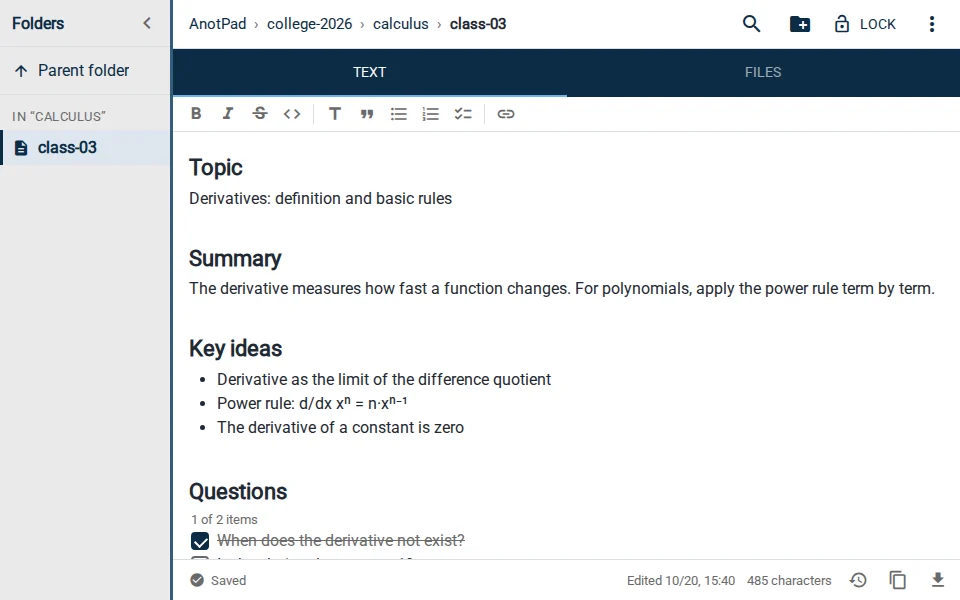
How to use it
- Create the note with "Use this template" and name it with the subject and class number, like college/calculus/class-03.
- During class, fill in the topic, key ideas and questions.
- The same day, write the summary and turn the key ideas into review questions.
- Tick each question once it is answered.
Tips
- Photos of the board can go in the note’s Files tab.
- During exam week, try to answer the review questions without looking before rereading.
- To study as a group, share the note’s link with classmates.
From class to exam
Class notes are worth what you do with them afterwards. The same day, reread them for five minutes and fill in whatever was left half done. The review questions section matters most: write questions the class answers and, in exam week, try to answer them without looking. Whatever you cannot answer shows exactly where to study.
- One folder per subject and one note per class, with the number in the name (calculus/class-03), keeps the whole semester in order.
- Search (Ctrl+K) finds a topic across every class in the subject at once.
- Take a photo of the board or slides and attach it in the note’s Files tab.
- To review with flashcards, move the questions to the flashcard notes template. If you prefer the Cornell method, it has its own template.
Read also
- Class notes: how to organize them by subject and review for examsA folder per subject, a note template and a 15-minute review routine.
- Cornell notes templateCues, notes and summary, the Cornell way.
- Study schedule templateSubjects per day, time blocks and a weekly review.