How to choose note names nobody can guess (and you will not forget)
Published on October 14, 2026
In a notepad by address there is no login: whoever knows the address opens the note. That is what makes everything so fast, and it is also why the note’s name deserves a little care. A good name is easy for you and hard for others.
The name is the key
Think of the note’s address as the key to a locker in a public hallway. If the locker is called "list", "test" or "notes", plenty of people will try to open it, even if just out of curiosity or by mistake. If it is called "groceries-home-q8v3", nobody gets there by chance.
Short, common names have another problem: someone may already be using them. When you open "shopping", you may land on a stranger’s shopping list, and they on yours.
A simple recipe
Combine three parts: a word that says what it is, a personal word and a random chunk of three to five characters.
| Example | Why it works |
|---|---|
groceries-home-q8v3 | Says what it is, has context and a random suffix |
thesis-marina-7hx2 | Easy to read out to someone, hard to guess |
family-trips-k29p/lisbon | The suffix sits on the main folder and protects everything in it |
phone-bridge-x4n | Short to type on a phone, still unpredictable |
The random chunk is what makes the difference. It can be any mix of letters and numbers; what matters is that it is not a word, a birthday or a sequence like 123.
Protect the folder, not just the note
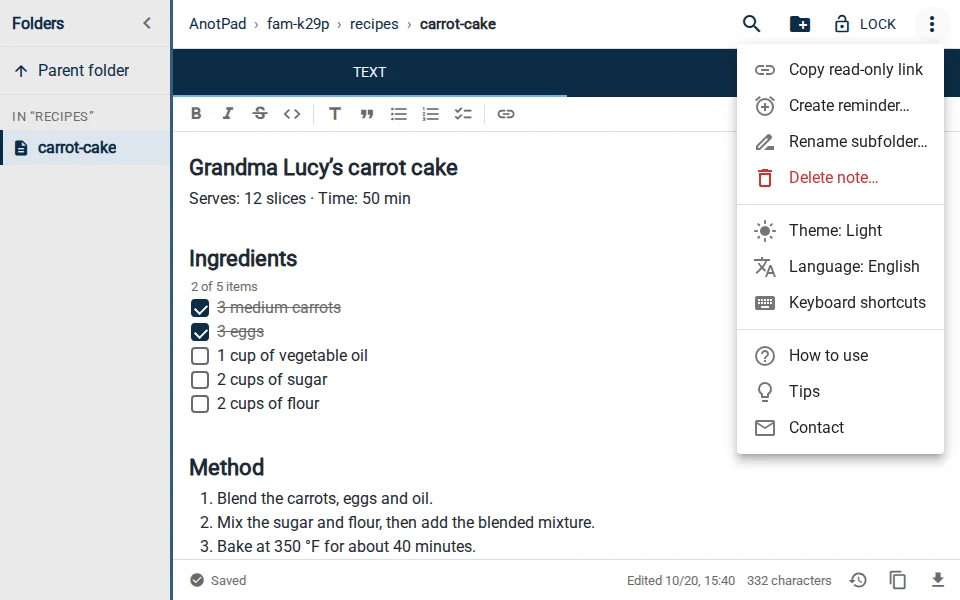
If you use folders, you can focus the care on the main folder. If it is called "fam-k29p", everything inside it (fam-k29p/groceries, fam-k29p/trips, fam-k29p/recipes) inherits the hard-to-guess part, and the names inside can be simple. It is easier to remember one safe folder than ten complicated names.
How not to forget the name
- Notes you have opened show up in the "Recent in this browser" list on the home page. The list is stored only in your browser.
- Bookmark the address in your browser or add it to your phone’s home screen.
- For important notes, keep the address in your password manager, along with the note’s password if you use locking.
What if the name was already shared?
If you sent the link to someone, they can open the note for as long as it exists. To "change the lock", create a new note with another name, copy the content over and delete the old one from the ⋮ menu. For a whole folder, the ⋮ menu also lets you rename the subfolder, taking the notes inside along with it.
To show a note without inviting the person to edit, use "Copy read-only link". Keep in mind it is only a view: whoever removes the end of the address can edit.
An extra layer: password locking
The "Lock" button protects the note with an email and a password. It is a useful barrier against casual access, but a simple one: it does not replace a password vault or encryption. Use it to keep the note away from curious eyes, not to store sensitive information.
No name, however hard to guess, makes a note suitable for passwords, card details, personal documents or health information. For that, use tools built to store sensitive data.
In short
What it is + something of yours + a random chunk. Focus the care on the main folder, save the address somewhere you will not lose it and use locking as an extra layer, knowing its limits.
Read also
- How to write drafts without getting stuck: a four-step methodDump, organize, write and revise: each step in its own time.
- Keyboard shortcuts to take notes faster in your browserThe editing shortcuts everyone should know, plus AnotPad’s own.
- Online notes without sign-up: how to start in one minute and what to know firstHow to start in a minute, what you gain and what you give up without an account.