Online notes without sign-up: how to start in one minute and what to know first
Published on October 14, 2026
Sometimes you just want to write something down. No account, no email confirmation, nothing to install. An online notepad without sign-up is made for exactly that, and it works well as long as you understand how it protects (and does not protect) what you write.
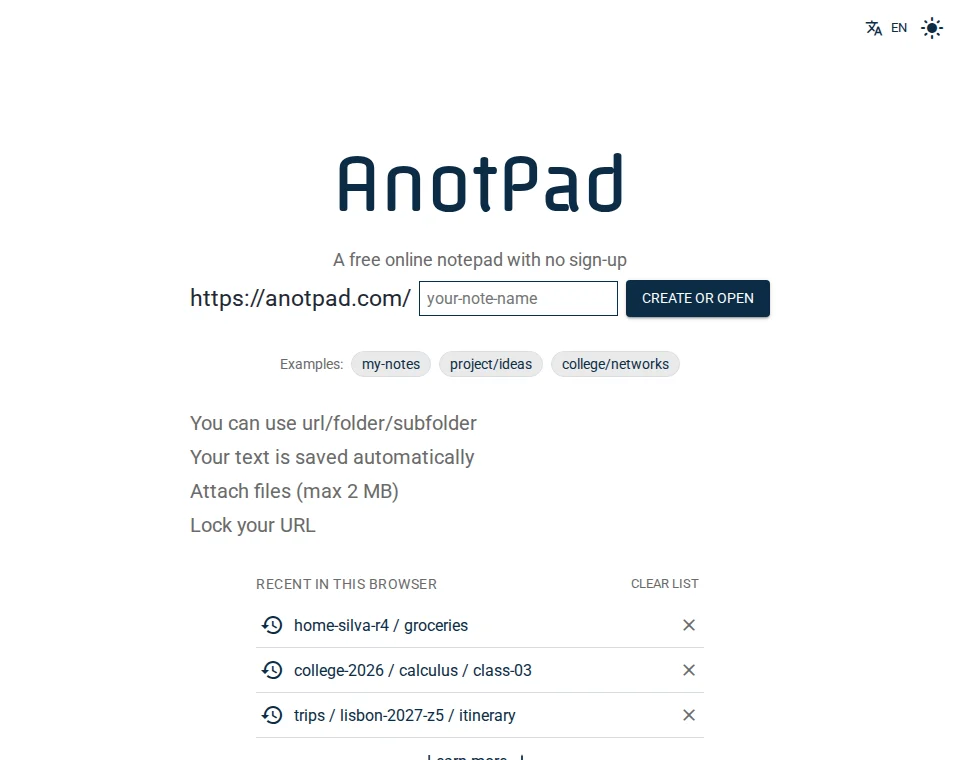
How to start in one minute
- Open anotpad.com in your phone’s or computer’s browser.
- Type a name for the note in the home page field, for example groceries-home-q8v3, and click "Create or open".
- Write. The text saves itself, and the bottom bar shows "Saved".
- To come back later, open the same address (anotpad.com/groceries-home-q8v3) or use the recent notes list on the home page.
There is no login screen because there is no account. The name you pick becomes the note’s address, and the address is what gives access to it.
What you gain without sign-up
- Speed: from idea to note in seconds, with no form.
- It works on any device with a browser, including borrowed or school computers.
- Nothing to remember except the note’s name.
- You hand over no email or personal data to use it.
- Sharing is just sending the link, with no email invitations.
What you give up without sign-up
Without an account, there is no "my notes" saved under your name. Anyone who knows a note’s address can open and edit it, and if you forget the address there is no "forgot my password" to recover it. There is also no synced list of all your notes across devices: the recent list on the home page is stored only in the browser where you used it.
So two habits are worth having: pick names that are hard to guess, and save important addresses in your browser bookmarks, on your phone’s home screen or in a password manager.
How to make a note safer
- Use a name with a random chunk at the end, like recipes-fam-k29p. Names like "test" or "notes" can be opened by chance.
- Turn on password locking (the "Lock" button) to keep casual visitors out. It is a simple barrier, not a vault.
- To show a note without allowing edits, use "Copy read-only link" in the ⋮ menu.
- Never store passwords, card details, personal documents or health information.
AnotPad notes do not show up in search engines like Google, but anyone who receives the address can open them. Treat the address like a key.
What it is best for
Without sign-up, the format is ideal for what is quick and shared: the household shopping list, a trip itinerary, meeting notes, class notes, drafts, a "bridge" to move text from your phone to your computer. For diaries, personal finances and anything that is yours alone and sensitive, an app with an account and strong protection is the safer choice.
If you want to start right now, the ready-made templates create a filled-in note in one click, with items to tick.
Common questions
Do I need to install an app? No. It works in the browser, and you can install AnotPad as an app from the browser menu or from the "Install app" button, when it shows up.
Are my notes saved if I close the page? Yes. They are stored on the server and saved automatically while you write.
Can I delete a note? Yes, in the ⋮ menu, under "Delete note". Its text, history and files are removed and this cannot be undone.
Start from a ready-made template
Read also
- Online checklist: how to make a to-do list you can tick item by itemHow to create, tick and organize a simple checklist, with shortcuts and examples.
- How to share a note by link: editing, read-only and QR codeA link to edit together, a read-only link and a QR code, with the limits of each.
- AnotPad or Google Keep: which one for your notes?Where each one is better, plainly: accounts, sharing, features and privacy.