AnotPad or Google Keep: which one for your notes?
Published on October 14, 2026
Google Keep is one of the best-known notes apps and does a lot well. AnotPad starts from a different idea: a note is an address, with no account. They are not direct competitors, and the right choice depends on how you take notes. This comparison says where each one is better.
The difference in idea
In Keep, notes belong to your Google account and show up on a board of cards, labels and colors. In AnotPad, there is no account: you pick a name, and the name becomes the note’s address. Whoever has the address opens the note. Everything else follows from that difference.
Side by side
| Point | AnotPad | Google Keep |
|---|---|---|
Account | Not needed | Needs a Google account |
Getting started | Type a name and write | Sign in and create a note |
Sharing | Send the link (edit or read-only) | Invite people through their Google account |
Organization | Folders through the address (folder/note) | Labels, colors, pinning and archiving |
Apps | Browser; can be installed as an app | Phone apps and a web version |
Lists | Checklist inside the text, with Markdown | To-do lists in cards |
Files | Up to 2 MB per file | Images and drawings |
Reminders | Creates an event in your calendar | Built-in reminders in the app |
Keep’s features change over time; check the app itself for what it offers today.
Where AnotPad is better
- A borrowed, school or work computer where you do not want to sign in to your account.
- Moving text from your phone to your computer in seconds, by opening the same address or scanning a QR code.
- Sharing with someone who has no Google account: the link is enough.
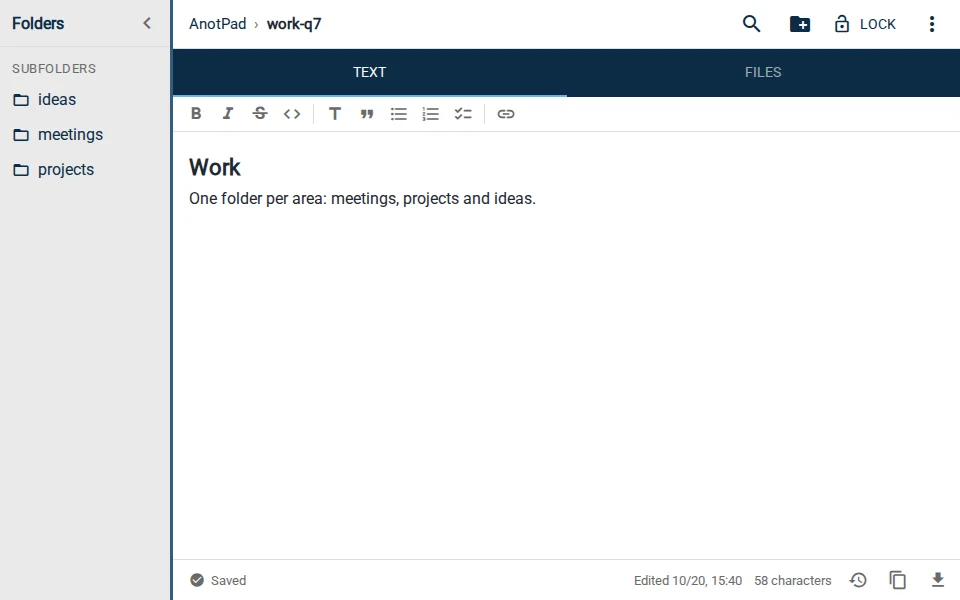
- Folders through the address, for people who like organizing like files.
- Not leaving a trail of notes inside an account.
Where Google Keep is better
- When you want notes that are yours alone, tied to an account with strong protection. In AnotPad, whoever knows the address opens the note.
- Board features: labels, colors, pinned notes, drawings and images with recognized text.
- A native phone app and integration with other Google services.
- Reminders that fire inside the app itself.
- Sensitive information, like passwords and personal data, belongs in any app with an account and proper protection (and in no note by address).
Privacy: what changes
In Keep, access is controlled by your account. In AnotPad, access is controlled by the note’s address, with password locking as an optional, simple barrier. That makes AnotPad great for what is passing and shared, and unsuitable for what is intimate or confidential. AnotPad notes do not show up in search engines.
Can you use both?
You can, and many people do. An app with an account for what is personal and permanent (a diary, ideas, important data) and AnotPad for what is quick and shared (the household shopping list, an itinerary, meeting notes, a draft that has to change devices).
Which to choose
If you want a permanent home for your notes, with visual organization features and account protection, Keep (or another app with an account) is the natural choice. If you want to open, write, share and move on, with no account and on any device, AnotPad does it in fewer steps.
Start from a ready-made template
Read also
- How to keep recipes online: a family cookbook that does not get lostA template, folders by dish type and ways to share with the family.
- What to pack for a trip: a list by trip type and how not to forget anythingA base list, what to change by trip type and a routine to check before leaving.
- How to organize notes in folders and subfoldersNames, levels and examples of simple structures that do not turn into a mess.